- YouTube
- Monetization
- Creators
How to Start a Faceless YouTube Channel in 2026 (and Stay Monetized)
How to start a faceless YouTube channel that can be monetized: formats, steps, and what YouTube’s 2026 policies say about reused, repetitive and AI content.
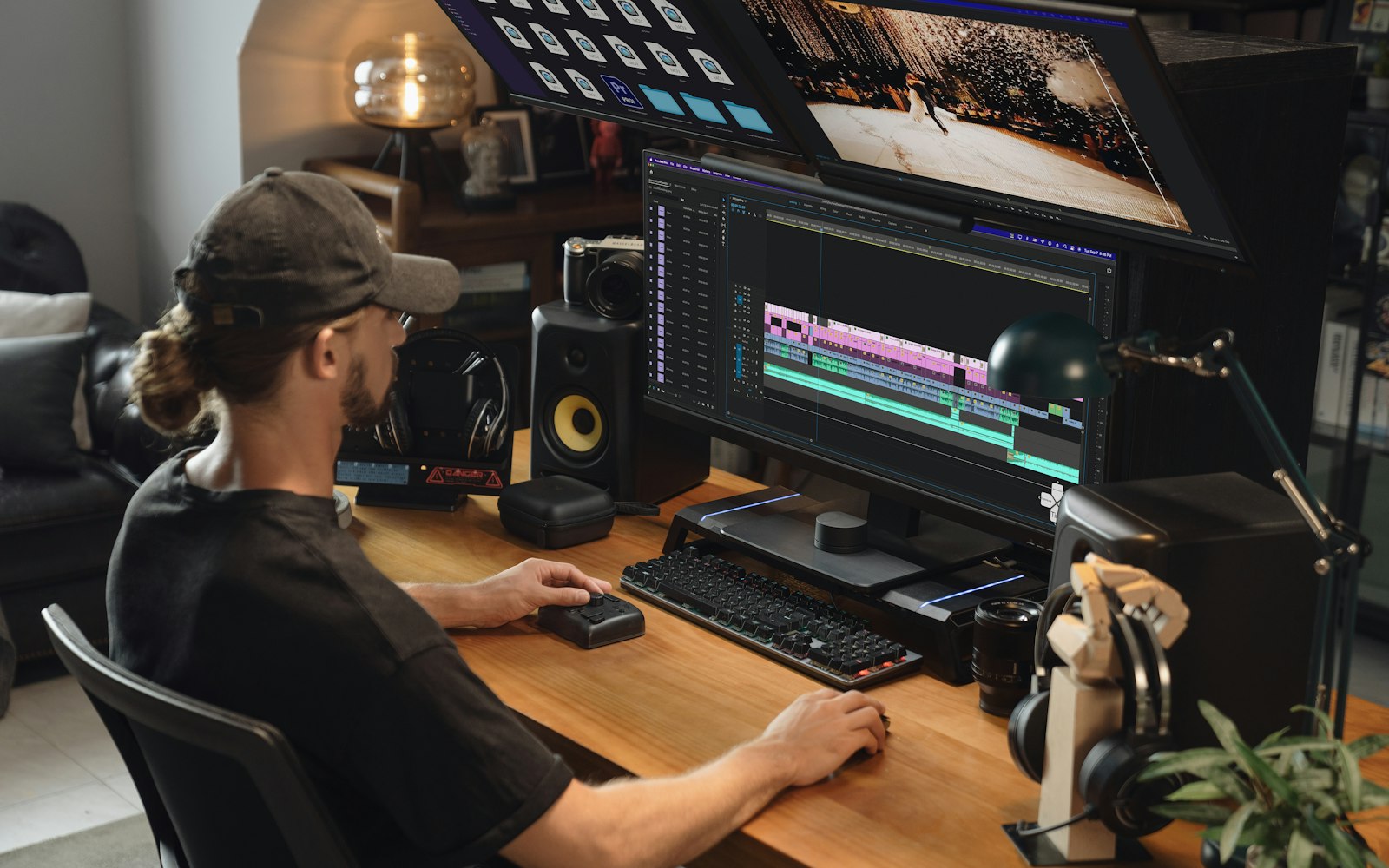
Pick a niche you can make 50 videos about, then script, narrate and edit each video so it adds your own research, commentary or story. That’s what keeps a faceless channel monetized: YouTube won’t monetize content that’s “mass-produced, generic, repetitive, or manipulative”. AI voices and visuals are allowed, but realistic AI content must be disclosed. The Partner Program needs 1,000 subscribers plus 4,000 watch hours or 10 million Shorts views; from February 1, 2027, new applicants need double.
A faceless YouTube channel is one where the creator never appears on camera: the videos are carried by narration, screen recordings, footage, animation or a pair of hands. It’s a legitimate way to make videos. It’s also the format most tied to get-rich-quick advice, and to the mass-produced AI videos that YouTube’s 2025 and 2026 policy updates were written to stop paying for.
This guide is for anyone who wants to start one without wasting months on a channel that can’t be monetized. It covers formats, what YouTube’s policies say about reused, repetitive and AI-made content, when to label AI, copyright basics and a step-by-step launch plan, drawing on YouTube’s Help Center and official blog as of October 2026. It won’t promise you an income, because nobody honestly can.
What is a faceless YouTube channel?
“Faceless” isn’t a YouTube category, and YouTube’s monetization policies don’t mention faces. What they care about is whether a reviewer can tell that you made the content. That’s harder without a face: YouTube’s reused content policy allows material where “the creator is either visible in the content or explains how the creator added to the content”. If you’re never on screen, your voice, script and editing are the evidence that the work is yours. Make that evidence easy to see.
Which faceless video formats work?
These are eight common faceless formats. The effort and risk ratings below are our own judgement, based on the examples in YouTube’s policies; YouTube doesn’t rate formats itself.
| Format | What it looks like | Effort per video | Monetization policy risk |
|---|---|---|---|
| Screen-recorded tutorials | You teach software, a game or a process while recording your screen | Medium | Low: your instruction is the original value |
| Explainers with B-roll | A researched script narrated over licensed footage and graphics | Medium | Low if the script is yours; rises if every video follows one template |
| Narrated documentaries and video essays | Long-form research and storytelling | High | Low |
| Animation | Original characters or motion graphics | High | Low to medium: repetitive storylines and low-quality kids content are named risks |
| Commentary over clips | Critique, analysis or reaction to other people’s footage | Medium | Medium to high: reused content and copyright rules both apply |
| Hands-only and product | Cooking, crafts, repairs or unboxings filmed from above | Medium | Low: you’re physically making the content |
| Ambient and ASMR | Long sound or visual recordings for sleep, study or relaxation | Low to medium | Medium: near-identical uploads can look interchangeable |
| Compilations, slideshows, readings of others’ text | Clips, images or articles gathered from elsewhere | Low | Very high: named in YouTube’s not-allowed examples |
The less of your own work a format needs, the closer it sits to the policies below.
Can faceless YouTube channels be monetized?
Yes. The YouTube Partner Program (YPP) is the program that lets creators share in ad revenue and use other monetization features, and every channel that applies goes through the same review. YouTube’s channel monetization policies say your content should “be your original creation”, adding: “If you borrow content from someone else, you need to change it significantly to make it your own.”
Reviewers may focus on your main theme, most viewed and newest videos, the videos with the most watch time, your titles, thumbnails and descriptions, and your “About” section. The reused content policy applies to the channel as a whole: if YouTube “cannot clearly tell that you made the content, monetization may be removed from your entire channel.”
What does YouTube’s inauthentic content policy say?
The policy has been renamed and reorganized within a year, which is why advice about it online is so muddled.
- Until July 2025 it was called “repetitious content”.
- On July 15, 2025, YouTube renamed it “inauthentic content” to “better clarify this includes content that is repetitive or mass-produced”, adding that such content “has always been ineligible for monetization”. Its reused content policy didn’t change.
- In July 2026, YouTube reorganized the guidance into three named categories. Tubefilter, reporting it on July 13, 2026, called the update “a communications fix” rather than a new policy.
Generic or repetitive content
YouTube defines this as “content that looks like it’s made with a template, or that may feel repetitive to viewers after watching several videos in a row from the same channel.” A shared format is fine: the allowed examples include the same intro and outro when “the bulk of your content is different”, and a series in which “each video has a distinct storyline, focus, or concept.”
The not-allowed examples include “image slideshows, templated storylines, or scrolling text with minimal or no narrative, commentary, or educational value” and, most relevant here, “AI-generated content made with generic or unoriginal templates giving the impression of mass production without adding the creator’s original, authentic insights or perspective.”
Unsatisfying or off-putting content
This covers content that “relies heavily on emotionally manipulative formulas” or “appears designed to shock or surprise viewers for the sole purpose of getting views.” Examples include repeated scenarios of animals in exaggerated distress, videos that “stitch together unrelated or inconsistent AI clips”, and fake celebrity deaths or disasters.
AI personas on sensitive topics
Channels whose AI-generated personas present themselves “as a human expert providing advice to viewers on topics such as health, legal issues, finances, or politics” can’t be monetized. A faceless finance or health channel fronted by an AI “doctor” or AI podcast host is exactly what this rule targets.
What counts as reused content on YouTube?
Reused content is YouTube’s term for videos that repurpose material from YouTube or elsewhere online “without adding significant original commentary, substantive modifications, or educational or entertainment value.” The test is whether “viewers can tell that there’s a meaningful difference between the original video and your video.”
| Allowed to monetize (YouTube’s examples) | Not allowed to monetize (YouTube’s examples) |
|---|---|
| Using clips for a critical review | Clips from a show edited together with little or no narrative |
| A movie scene with rewritten dialog and a new voiceover | Short videos compiled from other social media sites |
| Sports replays where you explain the moves | Content uploaded many times by other creators |
| Reaction videos where you comment on the original | Readings of text from websites or news feeds you didn’t write |
| Others’ footage with your storyline and commentary | Songs with the pitch or speed changed, otherwise identical |
| Footage with substantive audio and visual editing | Collections of songs from different artists, even with permission |
Two lines catch faceless creators out. The policy “applies even if you have permission from the original creator”, and it’s separate from copyright: “you may not get claims against your content, but your channel may still violate our reused content guidelines.” A license to use a clip settles copyright. It doesn’t make the video yours.

Are AI voices, scripts and images allowed on YouTube?
Yes. YouTube doesn’t ban AI tools; it refuses to pay for videos mass-produced with them. Its policy says: “If you use automated tools or templates to help create your content, the final product must still demonstrate your creative vision and provide educational or entertainment value.” One allowed example is “using AI to edit your video scripts or generate a unique background visual for your content.”
We couldn’t find any YouTube page that requires a human voice or bans text-to-speech narration. What gets channels rejected is the combination: a synthetic voice reading a generic script over generic visuals, uploaded dozens of times with little variation. That matches YouTube’s “impression of mass production” example almost word for word.
When do you have to disclose AI-generated content on YouTube?
Only when the AI use is realistic and meaningful. YouTube’s Help Center page, renamed Disclosing use of GenAI content in mid-2026 (it was “altered or synthetic content”), says you must disclose content that:
- “Makes a real person appear to say or do something they didn’t do.”
- “Alters footage of a real event or place.”
- “Generates a realistic scene that didn’t actually occur.”
- “Creates music that’s the main focus of the video.”
You disclose during upload in YouTube Studio: in the Attributes section, under “AI use” (formerly “altered content”), select Yes or No.
| No disclosure needed (YouTube’s examples) | Disclosure needed (YouTube’s examples) |
|---|---|
| AI help with an outline, script, thumbnail, title or infographic | AI-generated music |
| Captions, idea generation, color and lighting fixes | Extra AI footage of a real place |
| Cloning your own voice for voiceovers or dubs | A realistic AI match between two real tennis players |
| Clearly unrealistic scenes, such as riding a unicorn | Making it appear someone gave advice they didn’t give |
| AI animation inside a fully animated video | A realistic storm moving toward a real city that never happened |
A generic AI narrator isn’t in YouTube’s examples either way. It doesn’t make a real person say anything, so on its own it doesn’t appear to meet the four tests; photorealistic AI scenes in the same video would. If you’re unsure, select Yes: YouTube says disclosing “won’t limit a video’s audience or impact its eligibility to earn money.”
Skipping the box is getting harder. In a May 27, 2026 post, YouTube moved the label for photorealistic AI content directly below the player on long-form videos, and onto Shorts as an overlay. It also began labeling automatically: “If a creator doesn’t specify whether or not they used AI, but our systems detect significant photorealistic AI use, we will now automatically apply a label.” You can usually correct a wrong label in Studio. Creators who consistently don’t disclose risk penalties including “suspension from the YouTube Partner Program.”
How do copyright, fair use and Content ID affect a faceless channel?
Content ID is YouTube’s automated system that scans uploads against audio and video files submitted by copyright owners. On a match, the owner’s settings decide whether your video is blocked, monetized for them, or tracked. Shorts over one minute that contain claimed content are blocked and can’t be monetized.
Fair use is the US legal doctrine that allows some uses of copyrighted material without permission, such as commentary, criticism, research, teaching and news reporting. YouTube’s fair use page explains the four factors courts weigh and is blunt about the myths: “There aren’t any magic words”, and “I do not own” or “no infringement intended” won’t protect you. “Transformativeness is usually key.” A claim keeps you from monetizing a video “even if you only use a few seconds”, and rules differ outside the US.
For music, YouTube’s Audio Library help page says its tracks are copyright-safe and “won’t be claimed by a rights holder through the Content ID system”; Creative Commons tracks need credit in your description. Read the license for any other “royalty-free” music or stock footage, and remember that a video of nothing but stock clips still needs your narration and editing to pass the reused content test.
How to start a faceless YouTube channel, step by step
Tools matter less than what you put into each video, so we don’t recommend any.
1. Pick a niche you can make 50 videos about
Before you upload anything, write 50 distinct video ideas. If you run dry at 15, the niche is too narrow or you’re not interested enough to sustain it. Make sure the ideas don’t blur together “after watching several videos in a row”, YouTube’s own phrase. Think hard before choosing health, legal or financial advice, where mistakes hurt viewers.
2. Research what people already watch
Find the questions your audience asks and the videos that answer them badly. Search your topic on YouTube, read the autocomplete suggestions, sort competing channels by popular uploads and mine their comments for unanswered questions.
3. Write a script only you could write
The script is where a faceless video becomes original. Open with what the viewer will get, then deliver it in a clear order. Add what a template can’t: your own tests, opinions and examples. AI help with outlines and drafts doesn’t need disclosing, but check every fact it gives you and rewrite until it sounds like you.
4. Record the voiceover
Your voice is your face on a faceless channel. A quiet room, a decent microphone, a steady pace and retakes of any stumbles matter more than effects.

5. Build the visuals
Every shot should show something the narration needs. Roughly from most to least original: screen recordings, footage you film, original animation or graphics, licensed stock, and AI-generated visuals. Mix them, and disclose photorealistic AI scenes of things that didn’t happen.
6. Edit for retention
Cut anything that doesn’t move the video forward. Tighten the opening, change the visuals as the ideas change, and add chapters to longer videos. Your audience retention graph shows exactly where people leave.
7. Make titles and thumbnails that tell the truth
Promise only what the video delivers. Custom thumbnails need a verified account, and YouTube’s A/B testing tool compares up to three titles and thumbnails, keeping the one with the highest watch time. YouTube says half of all channels and videos have an impressions click-through rate between 2% and 10%. Since January 2025, starting in India, it has been strengthening enforcement against titles and thumbnails that promise something the video doesn’t deliver.
8. Choose an upload schedule you can keep
Consistency beats volume, and a high volume of near-identical videos is what the repetitive content rules target. YouTube may remove monetization from a channel that hasn’t uploaded or posted for six months or more. From February 1, 2027, a YPP channel counts as active if it uploads two long-form videos or five Shorts every 90 days, or meets watch-time or Shorts-view minimums.
9. Read your analytics
Judge videos on engaged views, average view duration and retention. Since August 24, 2026, YouTube counts a public view the moment a video starts to play. Engaged views, in YouTube Analytics, count only the times viewers stayed past the first seconds. Our guide to how the YouTube algorithm works explains how these signals feed recommendations.
How long does it take for a faceless channel to make money?
Nobody can honestly tell you how many months it takes. What’s fixed is the bar. Today YPP needs 1,000 subscribers plus 4,000 qualified watch hours in the last 12 months or 10 million qualified Shorts views in the last 90 days, and review typically takes about a month.
That bar is about to rise. YouTube’s page on changes to the YouTube Partner Program says that from February 1, 2027, new applicants need 8,000 qualified watch hours in the last 365 days or 20 million qualified Shorts views in the last 90 days, plus 1,000 subscribers. Channels already in YPP aren’t affected. Fan funding and YouTube Shopping keep their entry point of 500 subscribers with 3,000 watch hours or 3 million Shorts views. And from the same date, earning from the Shorts Creator Pool in a given month needs 10 million qualified Shorts views over the previous 90 days.
Our guide to YouTube Partner Program requirements covers each threshold, and how much YouTube pays per 1,000 views explains why the same views earn very different amounts by niche and audience.
Do faceless channels need to disclose sponsorships?
Yes, like any channel. If a brand pays you, sends you a product or gives you a commission, tick YouTube’s paid promotion box, which adds a label at the start of the video, and disclose it yourself too. Without a face on screen, say it in the narration, show it as on-screen text at the start of the sponsored section, and repeat it next to the links. Our guide to disclosing affiliate links and sponsorships has wording that works.
When you’re ready to pitch, see how to get YouTube sponsorships as a small creator. Expect brands to check your channel the way our guide to vetting a YouTube creator describes, starting with recent views and comments.
Why do faceless channels get rejected from the Partner Program?
YouTube says a rejection means its “human reviewers believe that a significant portion of your channel does not meet our policies and guidelines”, and the rejection email names the policies. YouTube doesn’t publish rejection rates, and we couldn’t find an authoritative figure for faceless channels. Matched against YouTube’s examples, these patterns are the likeliest to fail:
- Templated AI videos: the same synthetic voice, script structure and stock visuals, with only the topic swapped.
- Compilations and reposts of clips, Shorts or songs from elsewhere.
- Readings of other people’s text, such as news articles or forum posts, with no commentary.
- Near-identical uploads, such as dozens of similar ambient loops or one story template with new characters.
- AI experts giving health, legal, financial or political advice.
- Shock-driven or misleading videos, including fake disasters and clickbait thumbnails.
If you’re rejected, check your videos, titles, thumbnails and descriptions against the named policies, then edit or delete what doesn’t comply. You can appeal within 21 days or re-apply after 30 days; after a second rejection, or a previous re-application, the wait is 90 days. YouTube adds: “We can’t promise that you can monetize after fixing your channel.”
What to do next
Start with the 50-idea list, because it settles the niche question first. Then make three complete videos and watch them back to back: if they feel interchangeable to you, they’ll feel that way to a reviewer. Before you apply, check the thresholds in our Partner Program requirements guide, since they change on February 1, 2027. If your channel reviews software or AI tools, how to tell if a YouTube AI tool review is honest sets out the standards your viewers will judge you by. And bookmark YouTube’s monetization policy page: it will change again.
Frequently asked questions
- Can faceless YouTube channels get monetized?
- Yes. YouTube’s monetization policies don’t require you to appear on camera. They require content that is your “original creation” and not “mass-produced, generic, repetitive, or manipulative”. Reviewers look at your channel as a whole, including your main theme, most viewed and newest videos, titles, thumbnails and About section. Your narration, script and editing are what show the work is yours.
- Are AI voice channels allowed on YouTube?
- Yes. We couldn’t find any YouTube policy that bans AI voices or requires a human narrator. YouTube says that if you use automated tools, “the final product must still demonstrate your creative vision and provide educational or entertainment value.” Channels get rejected when a synthetic voice reads generic, templated scripts over generic visuals, giving “the impression of mass production”.
- When do I have to disclose AI-generated content on YouTube?
- When it’s realistic and meaningful: content that makes a real person appear to say or do something they didn’t, alters footage of a real event or place, generates a realistic scene that didn’t happen, or creates music that’s the main focus of the video. Select Yes under “AI use” in YouTube Studio. AI help with scripts, titles or thumbnails, and cloning your own voice, don’t need disclosing.
- What is YouTube’s inauthentic content policy?
- It’s the monetization policy formerly called “repetitious content”, renamed on July 15, 2025 to make clear it covers repetitive and mass-produced content. In July 2026 YouTube reorganized the guidance into three categories: generic or repetitive content, unsatisfying or off-putting content, and AI personas giving advice on sensitive topics such as health, legal issues, finances or politics.
- Can I use clips from movies or other YouTubers on a faceless channel?
- Only if you transform them. YouTube’s reused content policy allows clips used for critical review, commentary or explanation, but not clips edited together with little narrative, compilations from other sites or reuploads. It applies even if you have permission. Copyright is a separate question: Content ID claims can block a video or send its ad revenue to the rights holder.
- How many subscribers does a faceless channel need to make money?
- The YouTube Partner Program needs 1,000 subscribers plus 4,000 qualified watch hours in the last 12 months or 10 million qualified Shorts views in the last 90 days. From February 1, 2027, new applicants need 8,000 watch hours in the last 365 days or 20 million Shorts views. Fan funding and Shopping start at 500 subscribers.
From the lists
- YouTube · AI tools
AI Tool Reviewers on YouTube Worth Following in 2026
21 YouTube creators who test AI tools on camera, show the real output and say when something doesn’t work. Each entry says why, with a video to start with.
21 creators · Reviewed
Read the list - YouTube · Shopify and ecommerce
Shopify Creators Who Teach Running a Real Store
21 creators who teach Shopify from the operator’s side: store setup, ads with real numbers, discounts, wholesale and theme code. No get-rich-quick pitches.
21 creators · Reviewed
Read the list
Keep reading
- How Much Does YouTube Pay Per 1,000 Views in 2026?YouTube has no fixed rate per 1,000 views. How RPM and CPM work, the 55% and 45% revenue shares, why Shorts pay less, and how to estimate your own earnings.Read
- YouTube Monetization Requirements 2026: How Many Subscribers?500 subscribers unlock fan funding, 1,000 unlock ad revenue. The 2026 YPP checklist, what counts toward watch hours, how review works and the 2027 changes.Read
Written by Joanna Finch, editor of Topfluencers. Spot a mistake? Email corrections@topfluencers.co and we’ll fix it within 48 hours.