- Influencer Marketing
- Creator Discovery
- Brands
How to Find Micro-Influencers: 12 Methods That Work in 2026
12 ways to find micro-influencers on YouTube, TikTok and Instagram, free methods first, plus 2026’s renamed platform marketplaces and how to build a shortlist.

To find micro-influencers, start with the free methods: your own customers, people already mentioning you, and searches on YouTube, TikTok and Instagram filtered by topic and recency. YouTube removed sort-by-upload-date in January 2026, so use its Upload date filter instead. Then try the platforms’ own marketplaces (YouTube Creator Partnerships, TikTok One, Meta Creator Marketing Hub) or a paid database. Collect 40 or more names, cut them to about 20, vet those, and contact the ones that pass.
Most brands don’t lack creators. They lack the right ones: people whose audience looks like their customers, who post consistently, and who are small enough to answer an email and charge a sensible fee for a first test. That’s the micro-influencer tier, and it’s the hardest to search, because platforms rank results by popularity and the biggest accounts crowd everyone else out.
This guide is for founders, marketers and agencies, especially in software, AI tools and ecommerce. It covers 12 methods, free ones first, each with exact steps and honest limits, then how to turn a long list into a vetted shortlist. Platform details come from YouTube’s, Google’s, TikTok’s and Meta’s own help pages, checked in October 2026; several tools were renamed this year.
What counts as a micro-influencer?
A micro-influencer is a creator with a mid-sized, usually niche audience: big enough to move a product, small enough that followers still talk to them. There’s no official cut-off. Brandwatch’s glossary, updated in March 2026, puts micro-influencers at 10,000 to 100,000 followers, with nano-influencers below (1,000 to 10,000) and macro-influencers above. Others draw the lines elsewhere; our guide to influencer tiers compares the main definitions.
Recent views matter more than the label. Say a channel has 30,000 subscribers but its last ten videos got about 500 views each: on paper it’s a micro-influencer, but its audience has moved on.
What are the free ways to find micro-influencers?
Methods 1 to 10 cost nothing but time. Start with whichever matches what you already have: customers, a competitor, or just a topic.
1. Start with your own customers and followers
Your best micro-influencers may already be paying you. Customers can talk about your product without a script, and they’re easier to win over than strangers.
- Add an optional question to your onboarding or post-purchase survey: “Do you create content online? Where?”
- Scroll your followers and the people who comment on your posts. Look for bios with a clear niche and a business email.
- Read your detailed reviews on app stores and review sites, and check whether any reviewers run a channel.
Good at: authenticity and cost, since customers may be happy with free access or an affiliate deal. Weak at: scale. You’ll find a handful of names, many of them nano-sized.
2. Find people already mentioning or tagging you
Search your own brand name on every platform before anything else. A creator who mentioned you unprompted has already shown their audience cares.
- On YouTube, search your brand and product names with Upload date set to This year.
- On TikTok and Instagram, search the same names, and check your Instagram profile’s Tagged tab. Instagram’s Help Center says posts you’re tagged in are added there automatically unless you approve tags manually.
- Set up Google Alerts for your brand names.
The platforms now help. Google’s help pages say YouTube Creator Partnerships suggests “Creators who mention your brand”, in sponsored or organic videos. Meta’s September 2026 update added Creator Marketing Hub filters that surface content featuring your products, and TikTok One’s Content Suite, a global beta in May 2026, finds TikToks about your brand.
Good at: intent, because these creators already like you. Weak at: new brands with few mentions.
3. Search YouTube with the Upload date and Type filters
Search for the problem your product solves, then filter to recent uploads to see who’s covering it now.
- Type the query a viewer would (“how to automate invoices”), not your brand name.
- Click Filters. Set Upload date to This month or This year, and Type to Videos, or Shorts for short-form creators.
- Under Duration, choose “3 - 20 minutes” or “Over 20 minutes” to find full reviews and tutorials.
- Switch Type to Channels to list channels for the same query.
- Open promising channels and note the views on their latest uploads.
Know what changed. In January 2026, YouTube renamed “Sort by” to “Prioritize” and removed the “Last hour” and “Sort by rating” options, according to TeamYouTube’s Help Community announcement. Sorting by upload date went too: when we checked on October 12, 2026, Prioritize offered only Relevance and Popularity, and Upload date offered Today, This week, This month and This year. YouTube says Popularity weighs view count and signals such as watch time, which tends to lift channels that already get big views, so stay on Relevance when you want smaller creators.
Good at: long-form reviewers and teachers; YouTube says 40% of a video’s views come more than a month after it goes live. Weak at: there’s no follower filter, and results lean toward established channels.
4. Search TikTok and switch to the Users tab
TikTok search returns accounts as well as videos, and its labels show who already works with brands.
- Search a topic phrase. TikTok’s help page says the most relevant results appear in the Top tab.
- Switch to Users. On the web in October 2026, the tabs were Top, Users, Videos, LIVE and Photo.
- In the app, tap More options (…), then Filters, to narrow results.
- In video results, note the labels. “Paid partnership” marks a post for another brand; “Promotional content” marks a creator promoting their own business. Our disclosure guide explains both.
Good at: fast-rising short-form creators, and judging tone in seconds. Weak at: personalized, trend-driven results, and no audience data without asking.
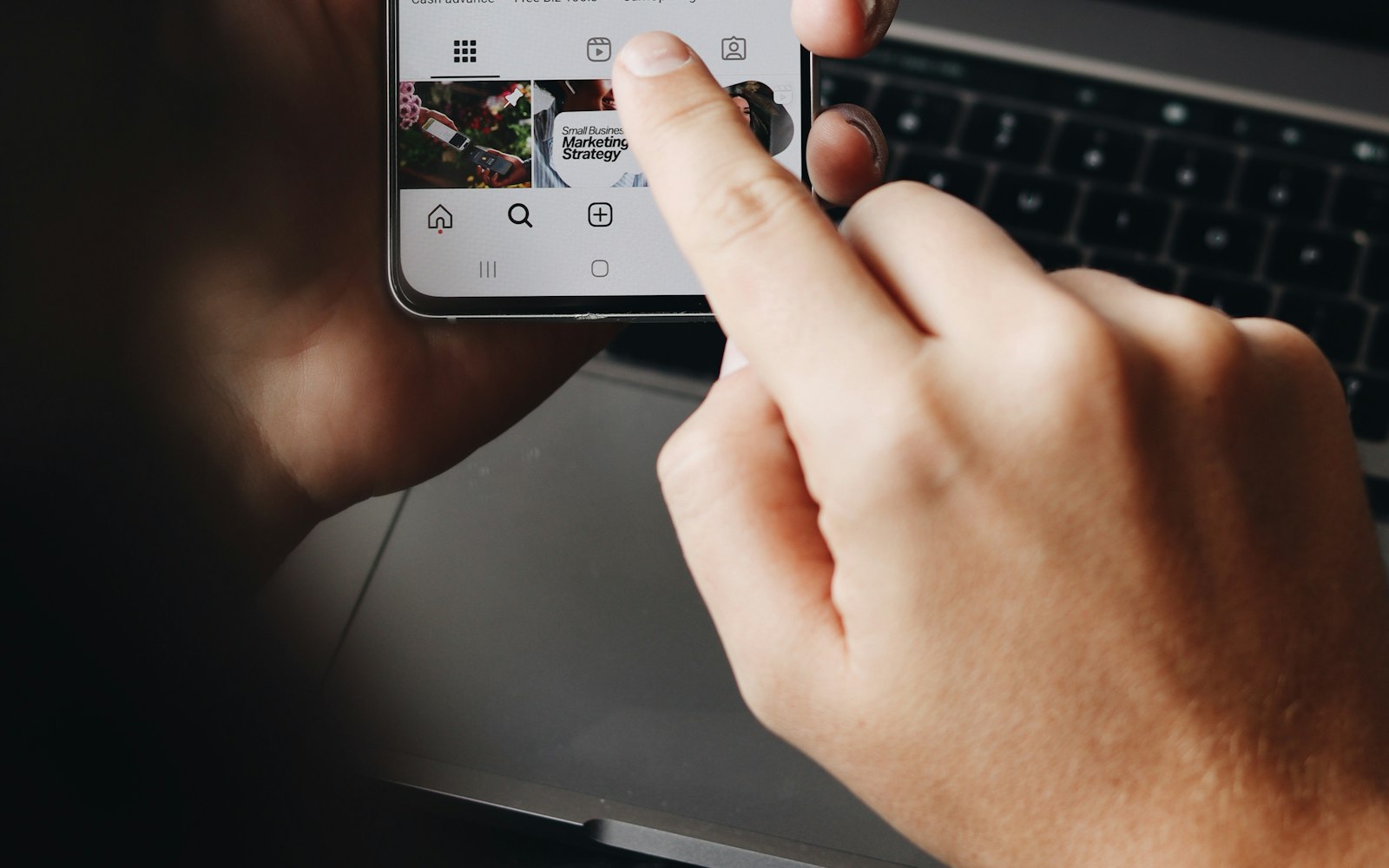
5. Search Instagram by keyword and hashtag
Instagram search works on keywords, not just hashtags, and its Accounts tab lists creators for a topic.
- Open Search & Explore and type a topic. Instagram’s Help Center says keyword search finds posts, hashtags, accounts, audio, tags and places.
- Tap Accounts for profiles, or Tags for hashtags. On a niche hashtag, look at recent posts, not just top ones.
- Use specific phrases (“sourdough for beginners”), not broad ones (“food”).
- Check each candidate’s Reels for consistency over recent months.
Good at: lifestyle, beauty, food, fitness and local niches. Weak at: no follower filter, personalized results, and engagement that’s hard to judge from outside.
6. Mine the comments and collaborators of bigger creators
People who leave thoughtful comments under big creators’ videos are often small creators in the same niche.
- List three to five large creators your customers already watch.
- Read the comments on their recent uploads and click the names behind detailed, specific comments.
- Check who they collaborate with. YouTube’s Help Center says a video can credit up to 10 collaborators, each shown with a name and subscribe button. Instagram says Collabs can list up to 5 collaborators, and the post appears on each one’s profile.
Good at: finding audiences that overlap one you know converts. Weak at: slow, and many commenters aren’t creators.
7. Find creators who’ve reviewed your competitors
A creator who reviewed a competitor already understands your category, and their audience is shopping in it.
- Search each platform for “[competitor] review”, “[competitor] vs”, “[competitor] alternative” and “best [category] tools”, with YouTube’s Upload date set to This year.
- Check for YouTube’s paid-promotion label or a named sponsor in the description. A sponsored review shows the creator does deals; an unsponsored one suggests they chose the topic themselves.
- Read the comments for viewers asking about alternatives. That’s your opening.
Before you approach, ask whether a current deal stops them covering competitors.
Good at: in-market audiences and creators who can already demo your kind of product. Weak at: they may be booked, pricier, or tied to the competitor.
8. Use Google search operators
Google indexes public pages from YouTube, TikTok and Instagram, so operators let you sweep all three at once.
Google’s Search Help documents quotes for an exact phrase, site: for one website, a minus sign to exclude a word, and before: and after: for dates, with no space after the colon. Queries to adapt:
site:youtube.com "invoice software" review after:2026-01-01site:tiktok.com "meal prep" budgetsite:instagram.com "skincare" "for collabs""[competitor] review" -coupon -discount"[your topic]" newsletter site:substack.com
Good at: cross-platform sweeps, and creators who also run blogs or newsletters. Weak at: Google doesn’t index every post, so treat it as a supplement to platform search.
9. Look at podcast guests, newsletter writers and Product Hunt makers
Look beyond video: podcasts, newsletters and launch communities hold creators that platform searches miss.
- Search podcast apps for your topic and read the guest lists. Guests who run their own shows or newsletters are reachable and used to discussing tools.
- Find the newsletters your customers read. Some writers also publish on YouTube or LinkedIn, and some sell sponsorships directly.
- On Product Hunt, browse launches in your category. Product Hunt describes its community as makers, early adopters, product people and creators, among others. People who comment in detail, or launched adjacent tools, may also write or film about them.
Good at: B2B, software and AI niches. Weak at: smaller, less visual audiences, and people who don’t see themselves as influencers.
10. Browse curated editorial lists
Editorial lists save time because someone has done a first round of vetting, as long as you know how they picked.
Check whether entries paid to be included, whether the list judges recent performance or lifetime followers, and when it was last reviewed. Topfluencers publishes creator lists on those terms. Our list of AI tool reviewers on YouTube has 21 creators, grouped by what they test and listed alphabetically, not ranked. The editors looked at roughly 100 channels; everyone who made it had uploaded at least monthly over the previous 90 days, each entry links a recent video where the creator tests a tool on screen, and nobody paid to be included.
It has limits: some entries are large channels rather than micro-influencers, and it shows no subscriber counts yet, because we only publish YouTube numbers from the official Data API.
Good at: a fast, pre-filtered start in the niches a list covers. Weak at: narrow coverage, and you still need to vet everyone.
Which platform marketplaces and paid tools help find micro-influencers?
The last two methods trade money, or at least an ad account, for speed and data you can’t see from outside.
11. Use the platforms’ own creator marketplaces
YouTube, TikTok and Meta each run a creator search tool for brands, and all three changed in 2026.
- YouTube Creator Partnerships, formerly BrandConnect, renamed in March 2026. Since June 2026, its Creator search has been open to any active Google Ads account registered in a YouTube Partner Program country, with no minimum spend, according to Google’s help page. Search by keyword or @handle, then filter by subscriber count, average views, creator location and ways of contact; audience filters only show creators who opted in to share insights. In-tool inquiries are limited to five countries (the US, UK, Brazil, India and Indonesia) and to verified advertisers with a Google sales team; others use the creator’s public email. YouTube says the tool reaches more than 3 million Partner Program creators.
- TikTok One, which absorbed TikTok Creator Marketplace after launching in 2024. Its May 2026 Creator AI Search turns a pasted campaign brief into up to 200 matching creators, which you refine with Like, Dislike and Generate Similar. TikTok’s help center, updated July 2026, says creators can sign up at 18 but need at least 1,000 followers to take part in projects.
- Meta Creator Marketing Hub, which replaced Instagram’s creator marketplace. In June 2026, Meta said it would merge Creator Marketplace and Partnership Ads Hub, noting that more than 5 million Instagram creators were already discoverable; the hub launched globally on September 15, 2026, and Meta is adding Facebook creators. In Meta Business Suite, click Creator marketing, then Discover creators. Instagram’s help page says you can search by keyword, filter by interests, age, follower count and audience, and upload a CSV of handles to find similar creators, though it may not be available to every account yet.
Good at: first-party data, follower filters and built-in contact. Weak at: one company’s platforms each, only eligible or opted-in creators, and a strong pull toward running creator posts as ads.
12. Use a paid influencer discovery database
Paid databases filter large indexes of public profiles by follower count, location, topic and estimated audience, across platforms at once.
Listed alphabetically; we don’t rank or recommend any of them:
- Aspire: an influencer platform for ecommerce brands, with a creator marketplace and plain-language search.
- CreatorIQ: a creator marketing platform for large brands and agencies.
- GRIN: creator management software for ecommerce brands, with an AI assistant.
- HypeAuditor: a creator database with audience, performance and fraud analysis, plus competitor research.
- Modash: creator search and vetting, campaign tracking, product seeding and payments, plus a data API.
- Upfluence: an influencer and affiliate platform for ecommerce and direct-to-consumer brands.
Their audience figures are estimates built from public data, because platforms don’t give outsiders a creator’s follower list or private analytics. We don’t list prices; check each vendor.
Good at: speed and scale across platforms. Weak at: cost, estimated data, and other brands searching the same database see the same names.
Which method should you use?
The ratings are our editorial judgment, not measured data.
| Method | Cost | Speed | Quality of fit | Best for |
|---|---|---|---|---|
| 1. Customers and followers | Free | Slow | Very high | Testimonials and affiliate programs |
| 2. People already mentioning you | Free | Fast | Very high | Brands with some existing buzz |
| 3. YouTube search filters | Free | Medium | High | Long-form reviews and tutorials |
| 4. TikTok search | Free | Fast | Medium | Short-form and consumer products |
| 5. Instagram search | Free | Medium | Medium | Lifestyle, beauty, food and local |
| 6. Comments and collaborators | Free | Slow | High | Lookalikes of creators you already know |
| 7. Competitor reviewers | Free | Fast | High | Software and categories with clear rivals |
| 8. Google search operators | Free | Medium | Medium | Cross-platform sweeps |
| 9. Podcasts, newsletters, Product Hunt | Free | Slow | High for B2B | Software, AI and B2B |
| 10. Curated editorial lists | Free | Fast | Medium to high | Niches a list already covers |
| 11. Platform marketplaces | Needs an ad or business account | Fast | Medium to high | Brands already advertising on that platform |
| 12. Paid databases | Paid subscription | Fast | Medium | Agencies and ongoing programs |
Short on time? Start with methods 2, 3 and 7: free, reasonably quick, and rated high for fit.
How do you turn a long list into a shortlist?
Expect most names to fall away once you look closely. When our editors built the AI tool reviewers list, roughly 100 channels became 21 entries.
Make a two-minute first cut
Drop anyone who fails one of four questions. Have they posted in the last 30 days? Are recent posts on your topic? Is the audience in your market and language, judging by the comments? Do recent posts get views in proportion to their size? This should cut 40 to 60 names to about 20.
Run the 15-minute vetting pass
For the survivors, check properly. Our guide to vetting a YouTube creator before a sponsorship has the full 15-minute checklist. The short version works on any platform: median views on the last 10 posts, the comments on three or four of them, follower history, how past sponsorships were disclosed, and the creator’s own analytics. For YouTube, ask for engaged views, since public views have counted from the first frame since August 24, 2026.
If you compare engagement rates, use one formula for everyone. Our guide to calculating engagement rate has the formulas for YouTube, TikTok and Instagram.

What should go in your tracking sheet?
A shared spreadsheet is enough, with one row per creator per platform:
| Column | What to record | Why it matters |
|---|---|---|
| Creator | Name, platform and profile link | One row per creator per platform |
| Found via | The method number from this guide | Shows which methods work for you |
| Topic | What they cover, in five words | Fit at a glance |
| Size | Followers or subscribers, with the date checked | Numbers change, so date them |
| Recent views | Median of the last 10 posts | Better guide than followers |
| Last post | Date of the latest upload | Filters out inactive accounts |
| Past sponsors | Brands, and whether they were disclosed | Experience and compliance |
| Audience fit | Your note on who comments and what they ask | The main reason to choose them |
| Contact | Business email, form or DM | How to reach them |
| Status | Not contacted, contacted, replied, declined, booked | Tracks outreach |
| Next step | Action and date | Keeps follow-ups from slipping |
How many micro-influencers should you contact?
We couldn’t find an independent, dated benchmark for how often creators reply to brand outreach, so plan from your own numbers. As a starting assumption, not a benchmark: to book three to five creators for a first test, build a list of 40 to 60, cut it to about 20, vet those, and contact the 10 to 15 who pass.
Send in batches of four or five, so you can fix your pitch if nobody answers. After one round you’ll know your real reply rate and which methods worked.
What to do next
When your shortlist is ready, our influencer outreach email templates will help you write a first message that’s short, specific and easy to say yes to. If you sell AI or software tools, the AI tool reviewers on YouTube worth following are a reasonable place to start your long list, as long as every name gets the same checks. And keep the tracking sheet: the methods that found your best partners this time are the ones to repeat next quarter.
Frequently asked questions
- Where can I find micro-influencers for free?
- Start with your own customers and followers, then search your brand name to find creators already mentioning you. After that, search YouTube, TikTok and Instagram for the problem your product solves, filtered to recent posts, and look at creators who have reviewed your competitors. Google search operators such as site:youtube.com and after: let you sweep several platforms at once.
- How do I find YouTubers in my niche?
- Search YouTube for the problem your product solves, click Filters, set Upload date to This month or This year, and set Type to Videos or Channels. YouTube removed the option to sort search results by upload date in January 2026; the Prioritize menu now offers only Relevance and Popularity, so keep it on Relevance to see smaller channels. Then check each channel’s recent views, not its subscriber count.
- What happened to TikTok Creator Marketplace?
- TikTok moved Creator Marketplace into TikTok One, the creator platform it launched in 2024. In May 2026 TikTok added Creator AI Search, which turns a pasted campaign brief into a list of up to 200 matching creators. TikTok’s help center says creators need at least 1,000 followers to take part in projects, so the smallest accounts can’t be booked through it.
- Is YouTube BrandConnect still available?
- Not under that name. In March 2026 YouTube renamed BrandConnect to YouTube Creator Partnerships and built it into Google Ads and YouTube Studio. Since June 2026, its Creator search is open to any active Google Ads account registered in a country where the YouTube Partner Program runs, with filters for subscriber count, average views, creator location and ways of contact.
- Does Instagram still have a creator marketplace?
- It has been folded into Meta Creator Marketing Hub, which combines Instagram’s creator marketplace with Partnership Ads Hub and launched globally on September 15, 2026. Brands open it from Creator marketing in Meta Business Suite, then search creators by keyword and filter by interests, age, follower count and audience. Meta’s help page notes it may not be available to every account yet.
- How many micro-influencers should I contact?
- There’s no reliable published benchmark for reply rates, so plan from your own numbers. As a starting assumption, to book three to five creators for a first test, build a long list of 40 to 60 names, cut it to about 20 with quick checks, vet those, and contact the 10 to 15 who pass. Track replies by method to learn your real rate.
From the lists
- YouTube · AI tools
AI Tool Reviewers on YouTube Worth Following in 2026
21 YouTube creators who test AI tools on camera, show the real output and say when something doesn’t work. Each entry says why, with a video to start with.
21 creators · Reviewed
Read the list - YouTube · Shopify and ecommerce
Shopify Creators Who Teach Running a Real Store
21 creators who teach Shopify from the operator’s side: store setup, ads with real numbers, discounts, wholesale and theme code. No get-rich-quick pitches.
21 creators · Reviewed
Read the list
Keep reading
- How Much Does YouTube Pay Per 1,000 Views in 2026?YouTube has no fixed rate per 1,000 views. How RPM and CPM work, the 55% and 45% revenue shares, why Shorts pay less, and how to estimate your own earnings.Read
- YouTube Monetization Requirements 2026: How Many Subscribers?500 subscribers unlock fan funding, 1,000 unlock ad revenue. The 2026 YPP checklist, what counts toward watch hours, how review works and the 2027 changes.Read
Written by Joanna Finch, editor of Topfluencers. Spot a mistake? Email corrections@topfluencers.co and we’ll fix it within 48 hours.